
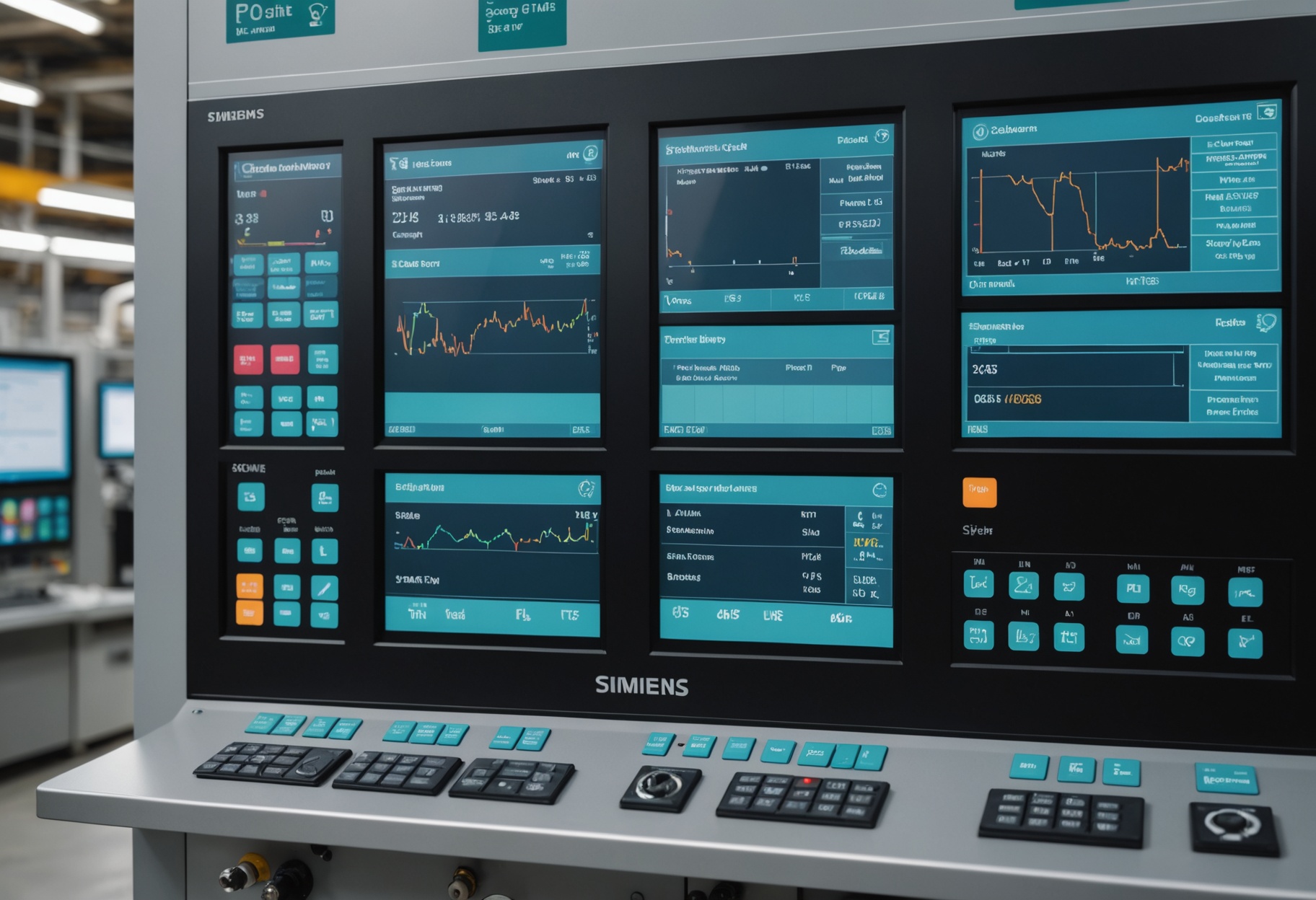
Operators spend eight hours a shift staring at a Siemens WinCC or Rockwell FactoryTalk HMI. The last thing they need is another monitoring application that requires them to switch screens or log into a new system to check equipment health. The way predictive maintenance actually changes operator behavior is when the health information appears in the interface they already use — not in a separate dashboard.
Why Separate Monitoring Dashboards Get Ignored
When a vendor delivers a new monitoring system, they typically deliver a new web-based dashboard alongside it. The dashboard looks good in the demo. In production, operators check it twice in the first week, then stop. This is not a people problem — it is an information architecture problem. Operators have a mental model built around their HMI. They know where each pump and motor lives on the P&ID display, what normal operation looks like for each, and which alarms indicate which problems. Adding a second screen with a different information hierarchy requires them to maintain two mental models simultaneously.
OPC-UA integration allows EdgeRun to publish asset health scores as standard process tags that appear in the existing SCADA historian and HMI. The health score for Pump P-107 becomes a tag at the OPC-UA node address Machine.P107.HealthIndex. That tag can be added to the existing WinCC graphic for the P-107 pump area — a colored indicator, a numerical value, or a trending display — without touching the PLC program or rebuilding the SCADA application from scratch. The operator sees health status in the same visual context as flow rate, discharge pressure, and motor current. That context matters for interpretation.
How the OPC-UA Server Integration Works
The EdgeRun edge gateway runs an embedded OPC-UA server (based on the open62541 open-source stack) that exposes a structured namespace of asset health tags. The tag structure mirrors the ISA-95 equipment hierarchy: Enterprise, Site, Area, WorkCenter, WorkUnit, Equipment. For a plant in Stamford running three production lines, the OPC-UA namespace might look like: EdgeRun.Stamford.Line1.Press.P107.HealthIndex, EdgeRun.Stamford.Line1.Press.P107.AlertStatus, EdgeRun.Stamford.Line1.Press.P107.EstimatedRUL.
The SCADA system subscribes to these tags through its OPC-UA client. Siemens WinCC from version 7.3 onward includes a built-in OPC-UA client. Rockwell FactoryTalk requires an OPC-UA to RSLinx bridge, which is available as a Kepware module. Most modern SCADA platforms have native or add-on OPC-UA client capability — it is the standard connectivity protocol for OT data exchange. If your SCADA system doesn't support OPC-UA natively, it almost certainly has an OPC Classic (DA/HDA) interface, and EdgeRun provides a DA server wrapper for legacy compatibility.
Tag Design: What to Expose and How to Scale It
Three tag types cover most SCADA integration needs: the health index (a 0–100 normalized score, where 100 is nominal and decreasing values indicate degradation), the alert status (an integer enumeration: 0=Normal, 1=Watch, 2=Caution, 3=Warning, 4=Critical), and the RUL estimate (signed integer in hours, or -1 if RUL estimation is not active for the asset). Some customers also request the top fault indicator — a string tag with the most probable fault description — but this requires the HMI to handle string tags, which not all systems do well.
For a plant with 50 monitored assets, the OPC-UA namespace contains 150 to 200 tags (3–4 per asset). This is a trivial load for any modern SCADA historian — OSIsoft PI, Aveva Historian, and Siemens WinCC Unified all handle OPC-UA subscription at this scale without configuration changes. The historian will store the health index trend alongside process data, which is useful when investigating root causes of quality defects — often you can correlate a quality excursion with a degraded health index on a specific asset.
Alarm Integration vs. Tag Integration
Tag integration (exposing health scores as process tags) and alarm integration (generating SCADA alarms directly from EdgeRun alerts) are different approaches with different trade-offs. Tag integration lets the SCADA alarm manager generate alarms from the health index tag value using the existing alarm configuration process — the same process used for any other process variable alarm. Alarm integration generates EdgeRun-originated alarms that appear directly in the SCADA alarm list.
We recommend tag integration over alarm integration for most sites, for two reasons. First, the SCADA alarm manager already has priority routing, acknowledgment workflows, and annunciation rules configured — using those rules for health alarms means predictive alarms behave consistently with process alarms. Second, alarm integration from an external source requires the SCADA vendor's alarm integration API, which has more variation across platforms and versions than the OPC-UA tag subscription interface.
Building the HMI Display Elements
The simplest and most effective HMI addition is a colored status indicator (green/yellow/orange/red) placed near the equipment symbol on the existing P&ID graphic, driven by the AlertStatus tag. Most plant operators understand traffic light health indicators intuitively without training. The indicator can be a small circle, a banner, or an overlay — whatever fits the graphic area available near the equipment symbol.
For lines with critical rotating equipment where maintenance planners monitor the HMI as well as operators, adding a small numerical health index display alongside the indicator gives more information without cluttering the screen. A health index of 84 versus 71 versus 43 conveys degradation progression that a binary green/red indicator cannot. The numerical value also gives operators a reference point when reporting to maintenance: "P-107 health index dropped to 43 this shift" is more informative than "P-107 has a yellow alarm."
Historian Integration for Trend Analysis
The most analytically valuable part of SCADA integration is storing the health index in the process historian. When a failure event occurs — whether detected by EdgeRun or not — the historian gives you the ability to look back at the health index trend and understand how degradation progressed. At one pilot site, we reconstructed the bearing failure timeline from historian data and found the health index had been declining for 19 days before the alert threshold was crossed. That information was useful for calibrating the alert sensitivity and for the post-mortem discussion with the plant maintenance manager.
OSIsoft PI (now AVEVA PI) is the most common process historian in large manufacturing and process plants. The EdgeRun OPC-UA server connects to PI through the PI Interface for OPC-UA, which is a standard PI configuration. PI tag creation is straightforward once the OPC-UA namespace structure is defined. For facilities without a central process historian, the EdgeRun cloud dashboard stores 18 months of health index trend data and is accessible via a REST API for external analytics tools.
Add asset health to your existing HMI
We can show you the OPC-UA tag structure and HMI display patterns in a demo using your SCADA platform.
Request a Demo